



On May 19th, Google announced many interesting upgrades to its products primarily focusing on AI and Gemini. One of the updates includes the antigravity agent and the new interactions API. I spent some time experimenting with these two and here’s all you need to know.
Antigravity Agent
Abstractions all the way, the latest offering by Gemini makes it easier than ever to build and deploy hosted agents. An Antigravity agent is essentially an agent that is hosted on a remote Linux environment, on Google Cloud. Earlier, if you were to build an agent using Gemini, you’d need to to build a container with an agent framework, couple it with tools and skills manually, push your container to a container registry, figure out your container runtime like Cloud Run or GKE, set up firewall rules and so on.
With the Antigravity agent, you can create a hosted agent easily through either of
The Google AI Studio or
An Interactions API call
The agent will pretty much do the same things it could before. The friction to build and deploy would be negligible. That is the entire point. To create a managed agent, you can either use the Google AI studio (you’ll need a paid GCP project to access it)
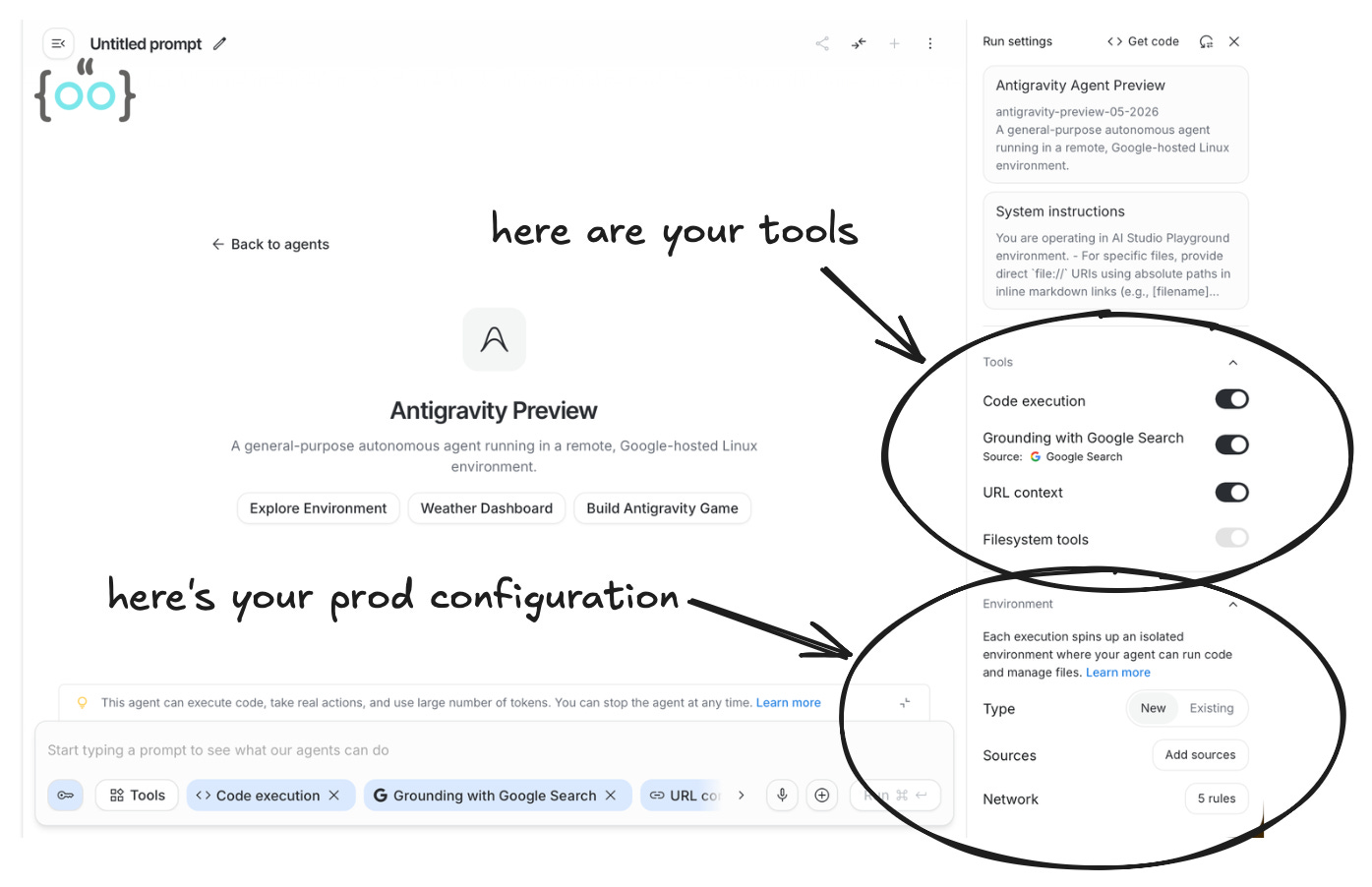
I decided to build a global stock market analyst agent with this, using the UI. The build was very straightforward. I just added my question, selected the code execution tool from the list of available tools and prayed to god that Gemini 3.5 Flash doesn’t use too many tokens and lead to a questionable credit card statement. This compressed one minute video of my experiment will show you how the process looks like.
The agent is going to live in a GCP execution environment, no matter whether you create it via the Google AI Studio UI or via the interactions API, implementing which would look like the code shown below.
import os
from google import genai

client = genai.Client(
    api_key=os.environ.get("GEMINI_API_KEY"),
)

tools = [{'type': 'code_execution'},{'type': 'google_search'},{'type': 'url_context'}]

interaction = client.interactions.create(
    agent='antigravity-preview-05-2026',
    input='',
    tools=tools,
    environment={
        'type': 'remote',
        'network': 'disabled',
    },
)
print(interaction.steps[-1])
Alright, so antigravity agent is not necessarily a net new capability but rather an abstraction to make it even more easier for a person to build-deploy an agent.
However, there are some interesting things to note.
Harness is natively co-optimized for 3.5 Flash, which is why it runs so fast. Usually, the model and the environment are built in silos. You take a general-purpose model, prompt it heavily, and write middleware to translate its outputs into something your local sandbox can understand. Google DeepMind built Gemini 3.5 Flash and the Antigravity execution environment in tandem:
The Model: Gemini 3.5 Flash was explicitly fine-tuned to output tool calls, shell commands, and Python code in the exact format the Antigravity sandbox expects.
The Infrastructure: The Antigravity server doesn’t need a heavy middleware layer to parse or translate the model’s intent. It is hard-wired to ingest 3.5 Flash’s tokens and execute them natively.
Antigravity agent automatically compacts context at around 135k tokens. This is a massive selling point because it prevents the agent from losing context or hitting token limits during long-running tasks
Now let’s take a look at the Interactions API and what it brings to the table.
Interactions API (beta)
If the Antigravity agent is the vehicle, the Interactions API is the engine. Up until now, building an agent meant relying heavily on the standard generateContent method. You had to manage the conversational state, manually parse tool calls, pass the history back and forth, and wire up the execution loop yourself, something that can get a bit tedious when dealing with complex ReAct frameworks or integrating external data sources via the Model Context Protocol (MCP).
The Interactions API changes this by shifting the orchestration heavy lifting to the server side. It is a new primitive designed specifically for multi-step tool use and complex reasoning flows.
Here are the standout features that make it a massive quality-of-life upgrade for developers
Stateful Multi-Turn Conversations
With standard API calls, you are responsible for maintaining and appending the conversation history to every new request. The Interactions API handles this natively. When you make a call, the server returns an id. To continue the conversation, you simply pass that ID as the previous_interaction_id, and Google manages the state.
interaction1 = client.interactions.create(
    model="gemini-3.5-flash",
    input="I have a local dataset with 500 rows."
)

# The server remembers the context automatically
interaction2 = client.interactions.create(
    model="gemini-3.5-flash",
    input="Write a python script to drop the null values.",
    previous_interaction_id=interaction1.id
)
The Managed ReAct Loop
Instead of just generating text, the Interactions API triggers an autonomous reasoning loop. If you’ve ever built an agent from scratch, you know the tedious “Thought -> Action -> Observation” cycle.
With this API, when the model decides it needs to use a tool (like Google Search or code_execution), the API doesn’t just return a JSON tool-call request for you to execute. Instead, the Google server pauses, executes the tool natively within the configured environment, observes the result, and feeds it back into the model to continue reasoning. It handles the entire loop until the final answer is ready.
Event-Driven Streaming
Because these autonomous workflows take time: the agent might write code, realize it has a bug, rewrite it, and search the web all in one go waiting for a final HTTP response isn’t practical.
The Interactions API emits granular events (step.delta or tool.call). This allows you to build a frontend that streams the agent’s internal thought process and real-time progress to the user, similar to how ChatGPT or Claude visually show their work while executing data analysis.
Going forward, new models and advanced agentic capabilities will launch exclusively on the Interactions API rather than the traditional endpoints. If you are serious about building AI agents, this is the new baseline you need to be building on.
I hope you found this breakdown useful! I have a lot more in the pipeline, including deep dives into agent evaluations, observability, and a few core software engineering topics.
Have a wonderful day, and I’ll see you in the next post soon!